One Account, Six Buildings: Visitor Management Across a City-Centre University Campus

A university campus is simultaneously a public space, a workplace, a home and a research facility, and its visitor management problem spans all four. Parents visiting student accommodation have completely different access requirements than a contractor servicing the HVAC in a data centre. Conference delegates using the business school have no business near the clinical research wing. Managing this without a coherent system means every building making it up as it goes.
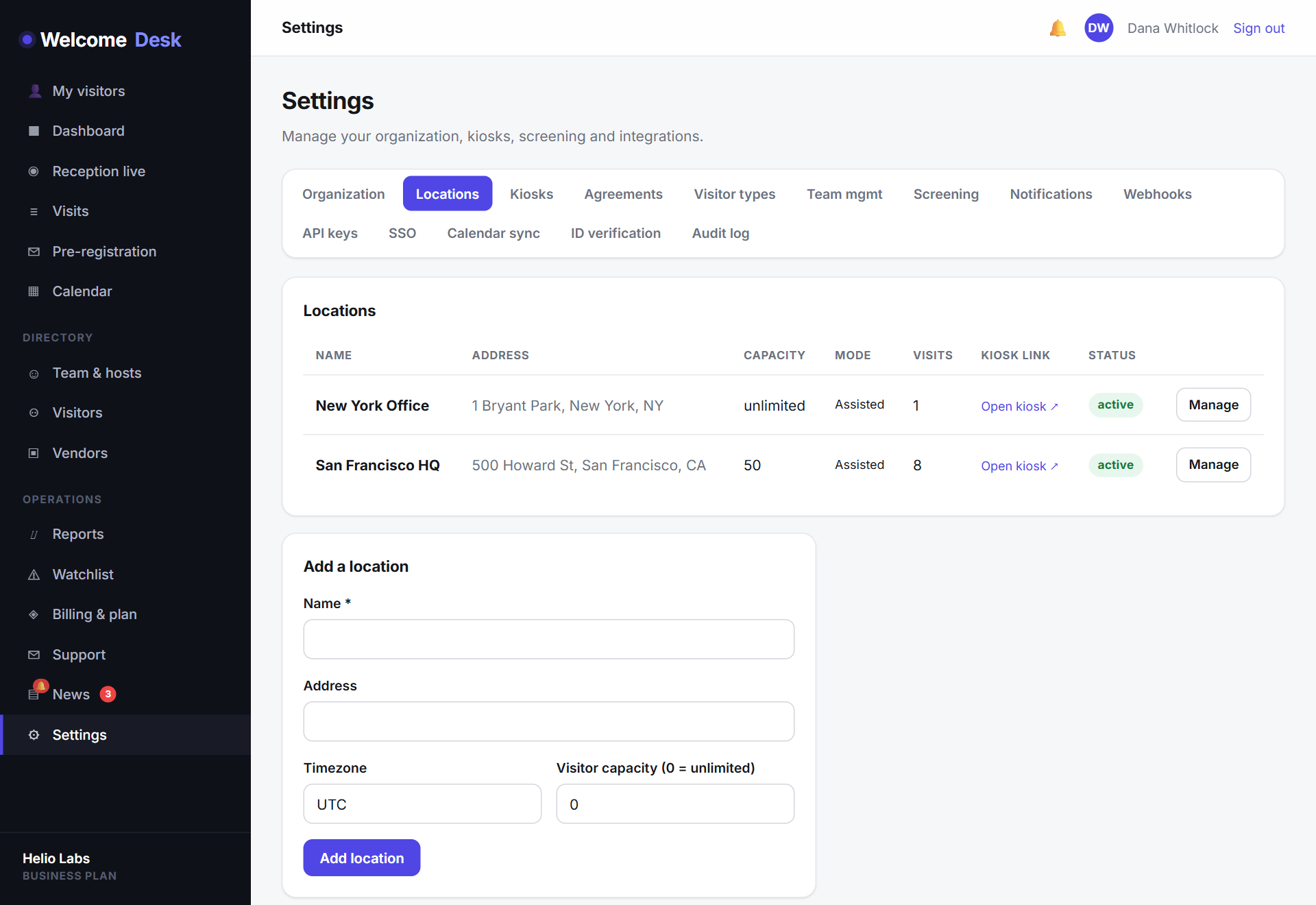
One account, every building
WelcomeDesk's per-account pricing model was the deciding factor for the institutions we've worked with. A per-location VMS bill across six buildings starts at several thousand dollars per month before any add-ons. WelcomeDesk's Business plan covers fifteen locations at a single flat fee. Every building is included, and adding a seventh when a new facility opens costs nothing extra.
Each building is configured independently. The main library runs an unattended self-service kiosk for general visitor sign-in. The research centre runs a receptionist-led flow with watchlist screening and ID verification enabled. The accommodation block has a stripped-down overnight-visitor flow. One account; each site exactly as strict as it needs to be.
Visitor types for every front door
Universities sign in a wider variety of visitor types than almost any other organisation. A typical campus configuration covers:
- Parent / guardian: student welfare visits, open days, move-in days.
- Conference delegate: bulk pre-registration against an event; badge number issued on arrival.
- Contractor / maintenance: site induction required; host or facilities manager notified.
- Research collaborator: external academic or industry partner; NDA acknowledgement per visit.
- Regulator / inspector: immediate notification to the relevant director.
Each type drives a different kiosk sequence. A delegate at a one-day conference finds their name in the pre-registration list and taps through in seconds. A contractor in a research facility reads the full site-safety briefing before the kiosk confirms their arrival.
Safeguarding with watchlist screening
Universities with student accommodation, schools of education or clinical facilities have safeguarding obligations that require more than a sign-in book. WelcomeDesk's watchlist screens every arriving visitor against a configured list before check-in completes. A match triggers a discreet alert to the designated safeguarding lead. The visitor is not informed; the front-desk team handle it, and the record is preserved.
The list is maintained internally. It can include individuals subject to non-contact orders, banned former students or anyone a safeguarding review has flagged. Updates take effect immediately across every campus location.
Evacuation readiness, campus-wide
A fire alarm in a single building is an evacuation for that building. The evacuation report in WelcomeDesk gives each building's fire warden a live, phone-accessible muster roll: everyone currently signed in at that location, ready to tick off as they reach the assembly point. The count updates in real time. The record, including who was accounted for and when, exports for the fire safety file.
During planned drills, drill mode logs the practice run without creating a genuine incident record, but every drill is still logged for compliance purposes.
See WelcomeDesk at your front desk
Browser-based visitor management, one price for every office. Free for 14 days.
Start your free trial