SAML Single Sign-On and SCIM Directory Sync Come to WelcomeDesk

Ask any IT team to approve a new tool and the first question is the same: does it do SSO? For WelcomeDesk, the answer is now yes, along with automatic directory provisioning.
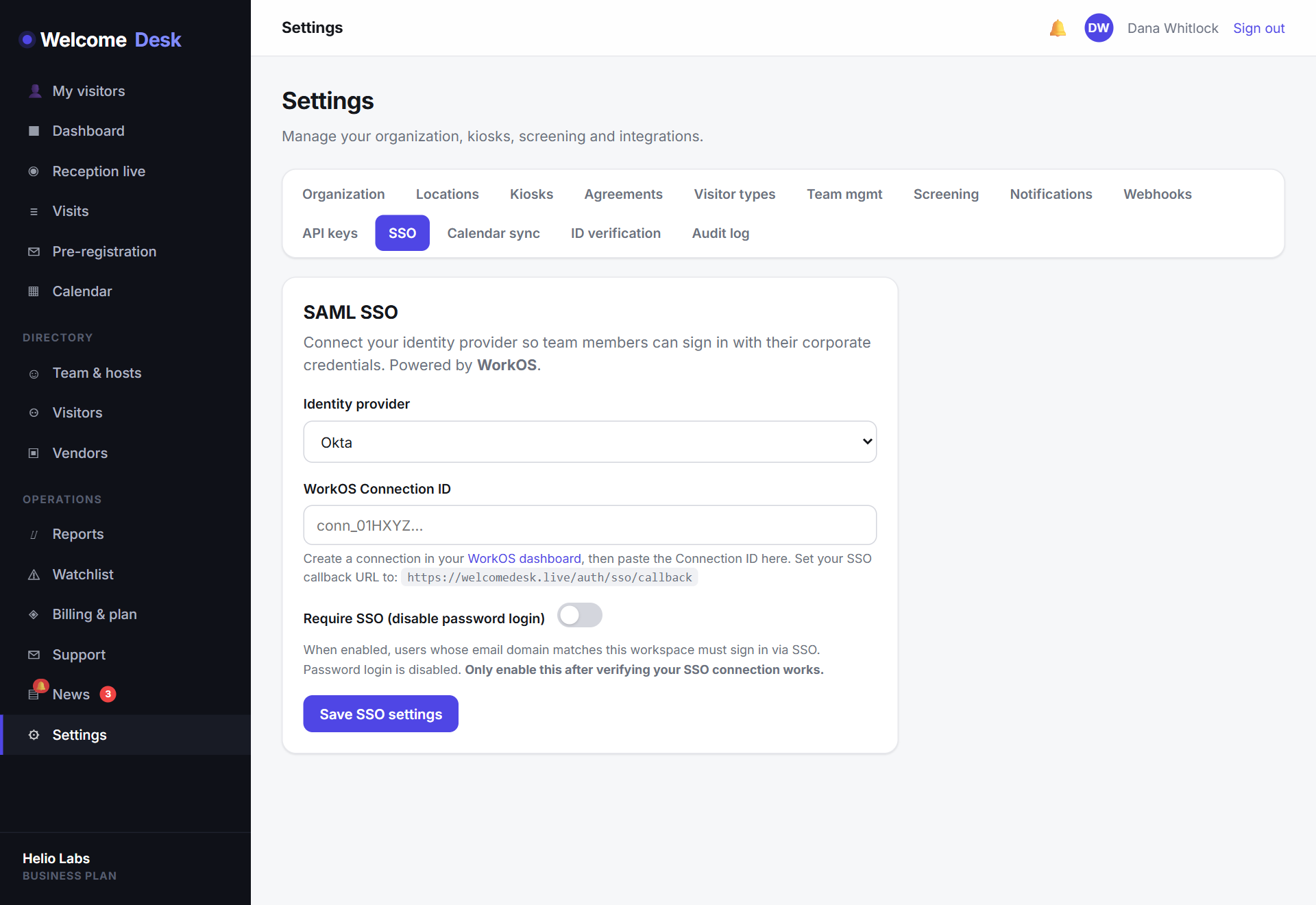
One identity, centrally controlled
WelcomeDesk now supports SAML single sign-on. Your team signs in with the same identity provider they use for everything else: Okta, Microsoft Entra / Azure AD, Google Workspace, OneLogin and more. No separate password to set, rotate or forget.
For IT that means access to your visitor system follows your existing joiner-mover-leaver process. Disable someone in your identity provider and their WelcomeDesk access goes with it. No orphaned logins sitting behind your audit log.
SCIM keeps your staff list in sync
SSO handles login; SCIM handles the accounts themselves. With SCIM provisioning, staff are created in WelcomeDesk automatically when they're added to the right group in your directory, and de-provisioned when they leave. Your host list stays accurate without anyone maintaining it by hand.
Built on WorkOS, configured in minutes
Rather than hand-roll SAML (a notorious source of security bugs), WelcomeDesk's SSO is built on WorkOS, a dedicated enterprise-auth platform. That gives you broad, well-tested identity-provider coverage from day one. Your IT admin connects your provider from the settings screen; there's no professional-services engagement and no multi-week project.
Available on Business
SAML SSO and SCIM provisioning are on the Business plan. If a security review has stalled because the visitor system could not tick the SSO box, this closes it. The setup flow in Settings handles Okta, Entra, Google Workspace and OneLogin specifically; each IdP has its own metadata quirks, and the wizard navigates them so your IT team does not need to.
See WelcomeDesk at your front desk
Browser-based visitor management, one price for every office. Free for 14 days.
Start your free trial