The Front Desk in Your Pocket: Introducing the WelcomeDesk Host App

The WelcomeDesk host experience is an installable web app: today's guests, arrival alerts and invites on any phone, with nothing to download from an app store. We shipped it in four weeks by building on the same browser-first core that runs the rest of the product. And for teams who want a dedicated app, that same core now ships as a native iPad app too. One product, delivered whichever way fits the device in front of you.
PWA for the phone, native for the door
A host's phone and a lobby's front-desk tablet want different things. On a phone, a host just wants arrival alerts and their guest list with zero setup, so an installable web app (a PWA) is the lighter path: no app-store queue, no second codebase, no per-platform SDK drift. A dedicated door or reception device is where a native app earns its keep, and that is exactly where our native iPad app fits. Both load the same live WelcomeDesk; nothing forks. That is what a browser-first core buys you: we can meet you as a web page, an installed PWA or a native app without maintaining three separate products. Running on any device you already own is still the reason we exist in a market full of iPad-locked platforms. A native app on top of that is an option, never a requirement.
Built for the host's day
The host view is focused on what a host actually needs:
- Today's expected visitors: see who's due before they arrive.
- Arrival alerts: a notification the moment your guest checks in.
- Invites on the go: pre-register a visitor from your phone in seconds.
- Your on-site list: see who you currently have in the building.
The whole interface is responsive (mobile cards on a phone, fuller tables on a laptop), so it's equally usable whichever screen a host reaches for.
The install prompt, and why we delayed it
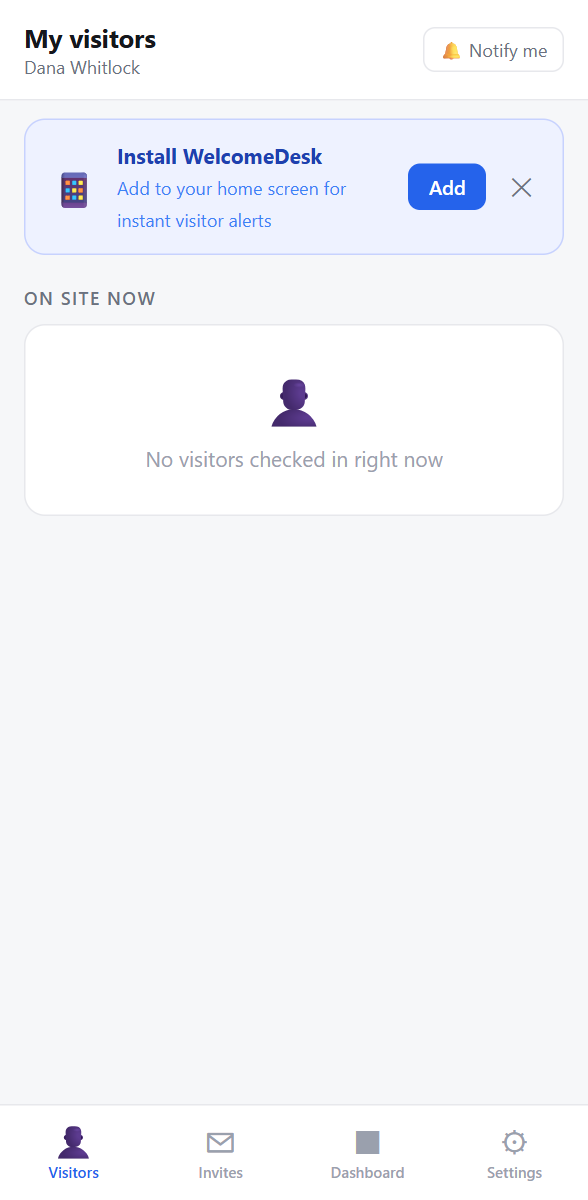
First version of the install prompt: it appeared immediately when a host loaded the page on mobile. Acceptance was poor, because nobody wants to install something they have not seen do anything useful yet. Second version: the prompt fires after a host's first arrival notification. At that point, the app has just proved exactly why it is worth having on the home screen. Acceptance went up considerably. We kept the delayed prompt.
Getting it
Open WelcomeDesk on your phone. No new URL, just the product you already use. After your first arrival notification, you will see the prompt. On Android: a browser banner. On iOS 16.4 and later: "Add to Home Screen" from the share sheet. One tap either way, and it is on your home screen.
Prefer a native app? There is a WelcomeDesk iPad app that loads the same product in a native shell, handy for a dedicated reception or kiosk device. But it is optional: the PWA gives hosts the full experience on the phone they already carry, and everything runs in a plain browser if you would rather not install anything at all.
See WelcomeDesk at your front desk
Browser-based visitor management, one price for every office. Free for 14 days.
Start your free trial